Tickets that write and route themselves from every channel
Customers do not want to fill out a support form - they just want help. Opsei hears the problem in the conversation, writes the ticket, scores the urgency, and routes it to the right person, before the call or chat even ends.
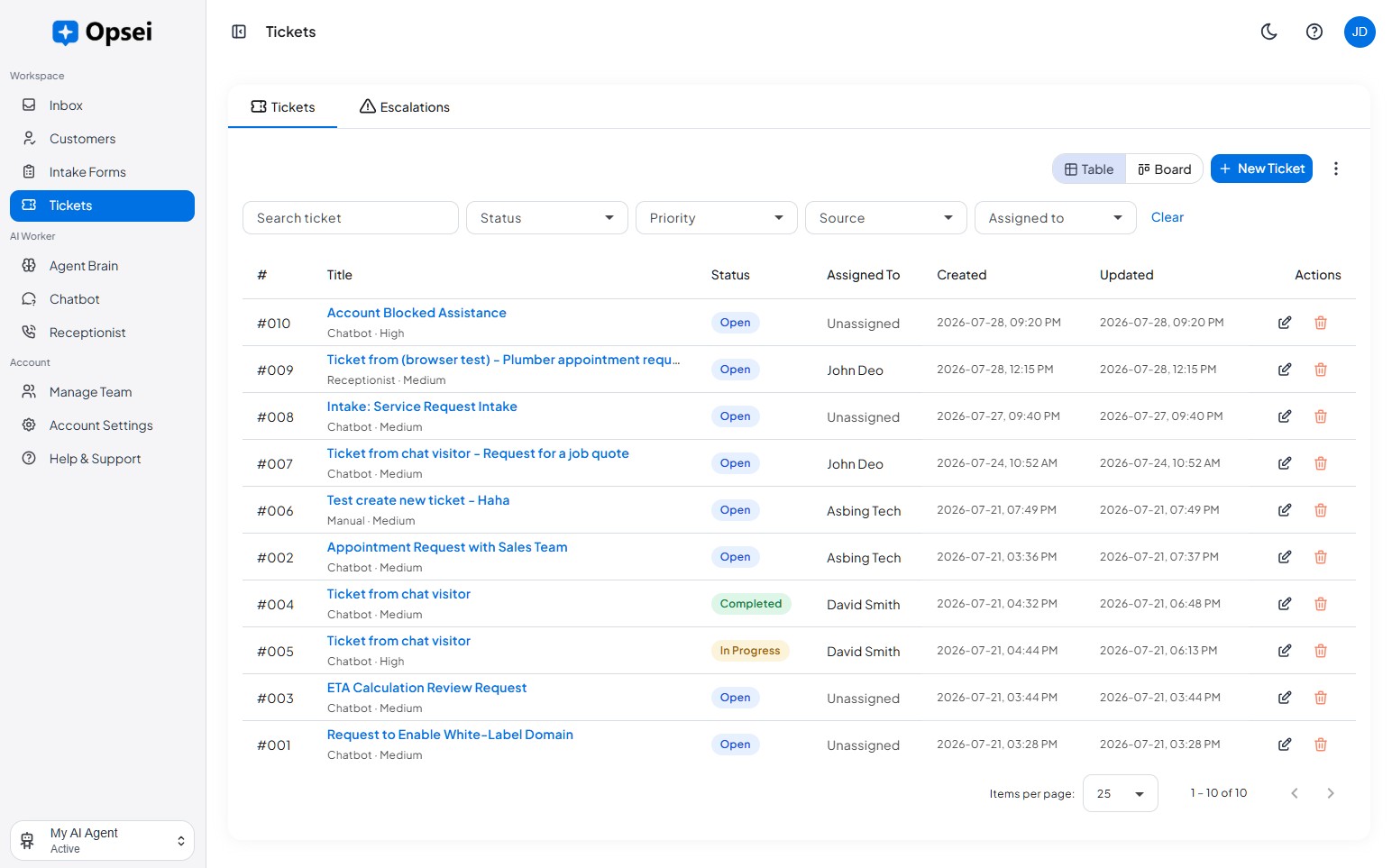
From conversation to resolved, automatically
No portal, no retyping. The ticket is created, classified, and routed straight out of the conversation.
Auto-create from any channel
Opsei raises a ticket from calls, chats, SMS, and social messages - no form for the customer to fill in.
AI-written summaries
Each ticket includes the customer's intent, the key details, and a recommended next action, written for you.
Smart routing
Route to the right team member by category, urgency, or your own rules - emergencies escalate immediately.
Priority detection
The AI reads urgency and sentiment and assigns a priority, so nothing critical sits in a flat queue.
Custom categories
Define categories that match your workflow and let the AI auto-tag every ticket as it is created.
Linked to the customer
Every ticket is attached to the CRM record, with the full history and transcript in one view.
The ticket writes itself
It hears the problem
Opsei AI listens across every channel in real time, no forms, no portals, no waiting for the customer to log it.
It writes & classifies
The issue, category, urgency, and sentiment are detected and filled in, with a clear summary and next action.
It routes to the right person
The ticket is assigned by your rules, and urgent issues escalate straight to the right team member.
Opsei smart tickets vs. a traditional help desk
| Capability | Email inbox | Traditional help desk | Opsei Smart Tickets |
|---|---|---|---|
| Ticket creation | Manual | Customer fills a form | Written from the conversation |
| Triage & priority | Manual | All start equal | Auto-detected urgency |
| Routing | None | Manual rules | Smart, rule-based |
| Customer context | Scattered | Partial | Linked to CRM & transcript |
| Per-agent fees | n/a | $50+/agent/mo | Included in your plan |
Enterprise-grade security, built in
Your customer conversations are sensitive. Opsei protects them with the controls large enterprises expect - so you can put AI on the front line with confidence.
Access & audit control
Role-based access, single sign-on (SSO), and per-user audit logs so you always know who saw and did what.
Encryption everywhere
TLS 1.3 encryption in transit and AES-256 encryption at rest for every conversation, record, and file.
SOC 2 Type II
SOC 2 Type II controls with independent annual audits covering security, availability, and confidentiality.
Data residency
Tenant-isolated data that is never used to train third-party models, with US-based data residency available on enterprise plans.
Works with the tools you already use
Opsei plugs into your stack two ways: Automated Workflows push new leads, customers, and tickets out to your other apps the moment they happen, and Live Answers let the AI look up real information from your systems mid-conversation.
Automated Workflows (outbound)
Fire secure webhooks on every new lead, customer, ticket, or ended conversation. Connect to your CRM, back office, or thousands of apps through Zapier, Make, and n8n. Every delivery is logged, retried, and testable.
Live Answers (inbound connectors)
Let the AI query your own HTTPS APIs while it is talking to a customer - order status, bookings, account details, a customer's plan - and reply with the live result on both chat and voice.

